kbDoc – Documentation & Knowledge Base React Next js Template with Helpdesk Forum
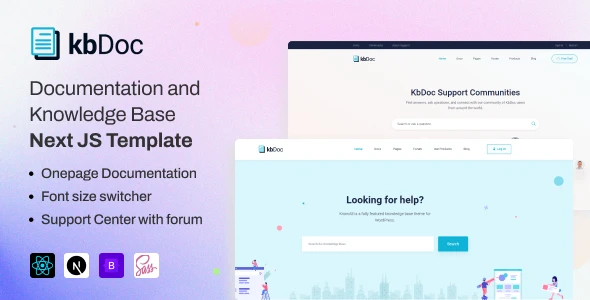
✅ Next.js Power: SSG & SSR for blazing speed.
✅ Dark/Light Mode switcher.
✅ Font size switcher
✅ Onepage documentation
✅ Support Center with Forum
✅ Dynamic Preloader & Footnotes
kbDoc is a powerful, responsive, and high-performance documentation template built with Next.js, designed to help you ship stunning product docs in record time. Whether you’re documenting APIs, frameworks, plugins, software, templates, or user manuals, kbDoc gives you the structure and tools to do it beautifully. Built on the cutting edge of modern web technology, kbDoc leverages Next.js for lightning-fast performance, seamless routing, and optimized SEO. Every element is built to enhance readability and context, because great documentation doesn’t just explain, it teaches.
We didn’t build kbDoc for traffic spikes; we built it for clarity. Designed to prioritize content over clutter, this template turns documentation into a clean, immersive reading experience. Features like dark/light mode, font size switchers, and table of contents navigation ensure every reader finds what they need fast.
kbDocis not just a frontend skin, it’s a complete toolkit for building exceptional documentation sites. We’ve followed modern development best practices, adhered to W3C standards, and ensured it performs flawlessly across all devices and screen sizes. Whether you’re building an internal knowledge base or a public-facing help center, kbDoc gives you the confidence to deliver polished, professional documentation every time
Here are some key features of kbDoc that make this template better than other knowledgebase themes.
Responsive Layout Built with Bootstrap 5.x CSS3 & HTML5 validated by w3.org standards Megamenu Semantic coding 40+ Pages Sticky sidebar Full-width layout Syntax highlighter Button variations Typography Tabs Alerts / Messages / Notes Accordion Lightbox Tooltips Carousel Directory explanation File tree navigation Table of content Software Change-log Property table Article feedback Responsive video (YouTube, Vimeo, Self-hosted) Easy to Customize. Unique and Modern Style. Super Clear and Clean Layout. Awesome and Creative Design. Great CSS Animations. Search Engine Optimised Code. W3C Validated Code. Free Google Fonts. Free Font Based Icons. All Modern Browser Supported. Developer friendly code. Free Update. Here are some amazing tools that will help you build your product documentation interactively. Dark mode switcher. Font size switcher Full-width and Box width container-based. Documentation with sticky and non-sticky header Onepage documentation Dynamic, informative pre-loader on every page Footnotes for doc reference Page preview tooltip Can I use? for showcasing appropriate and inappropriate options Image Hotspot to point out the targeted parts of an image Sources and Credits Icon Font: The Elegant Icon Icon Font: fontawesome Images Used: Freepik, UnsplashChangelog
v1.0.1 (22 September, 2025)
Tweaked: Some missing link added